Design first: drawing the new editor
The rebuild has started, and the first tool I picked up wasn't a code editor. The new Prometheus editor is being designed in Figma first, approved screen by screen, and only then built. The rule for the whole rebuild: the design comes first, changes go into the design, and then the code changes to match.
The shell
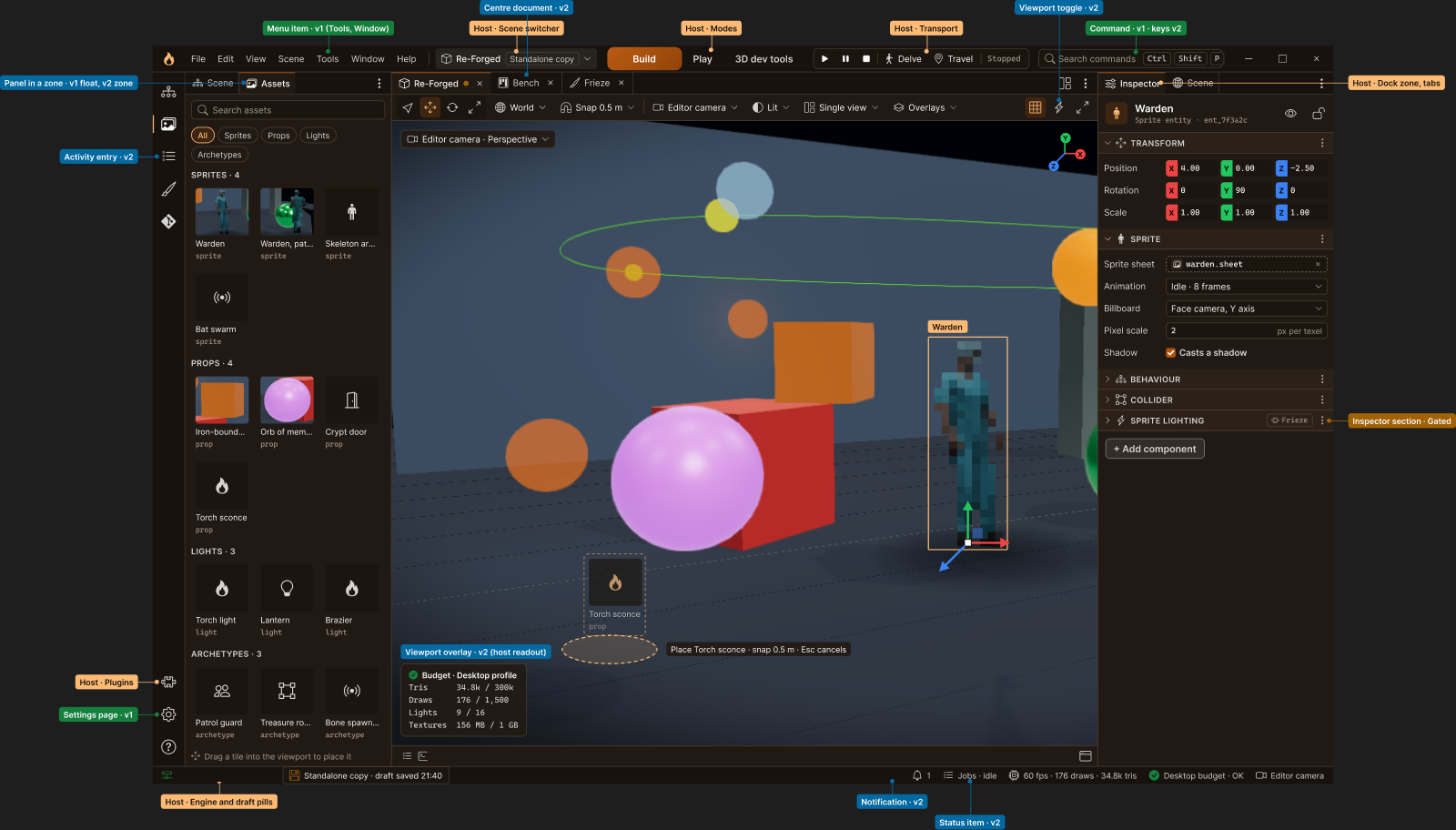
This is the frame everything else plugs into. It's drawn as the desktop app, with a browser version kept alongside.
- The title bar holds the menus, a scene switcher, the modes (Build, Play and 3D dev tools), command search, and the Play, Pause, Stop and Delve controls, right up in the title bar where they're always in reach.
- The dock zones on the left, right and bottom take tabs, and the middle holds documents, so a scene and the tools I'm using open side by side, like files in a code editor.
- The status bar shows the engine connection, whether my changes are saved, notifications, frame stats and the device budget.
A plugin can only add UI through a small set of slots, and every slot on every frame is drawn with its way in: a menu path, an icon, a command or a shortcut. If you can't find a feature, it might as well not exist.
Everyday editing
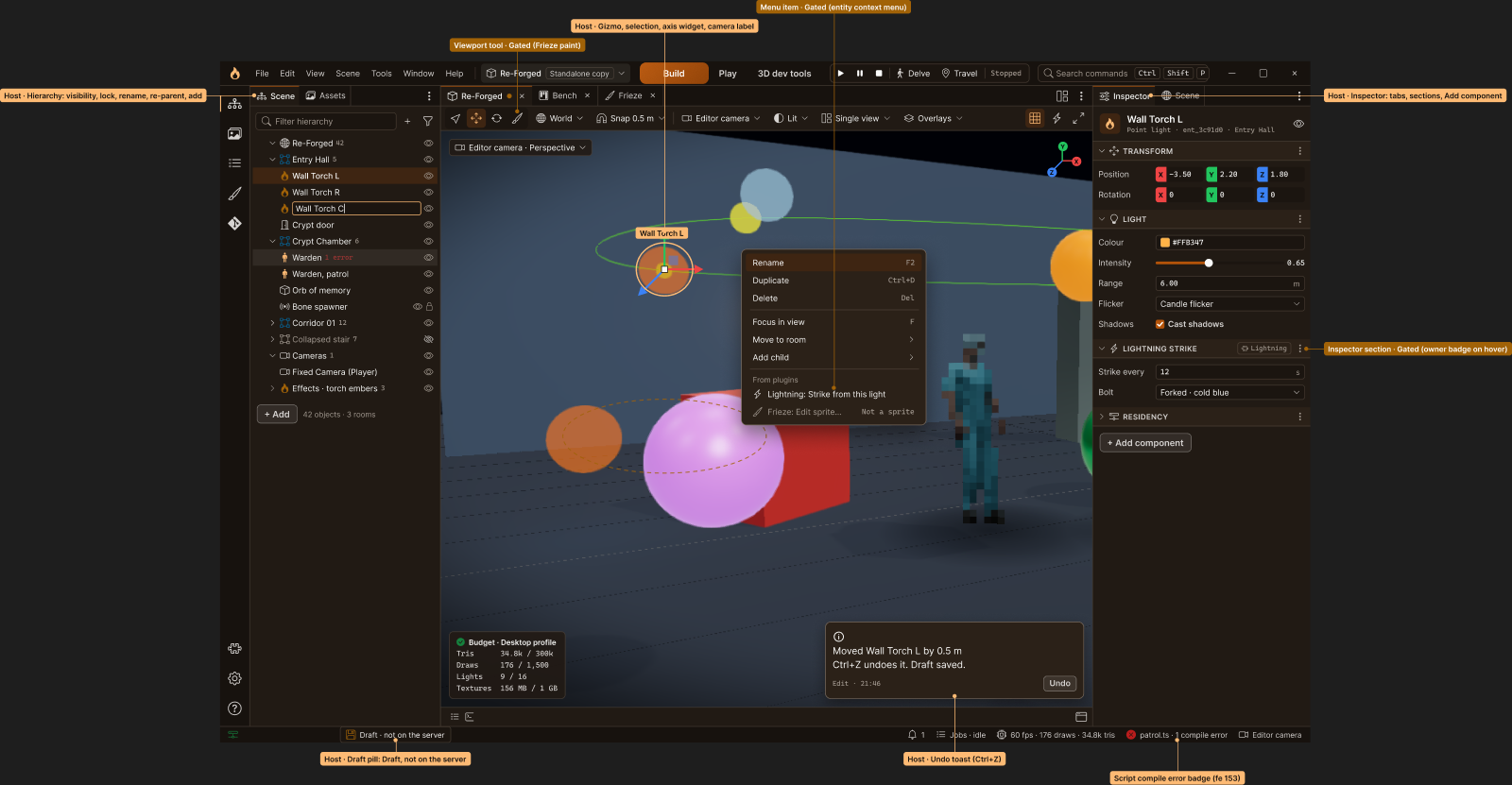
The everyday loop is select, move, edit, undo, save. Plugins show up where you'd look for them. Here a Lightning plugin adds "Strike from this light" to the right-click menu and its own section to the inspector, with a small badge saying which plugin it came from.
Turning a plugin off
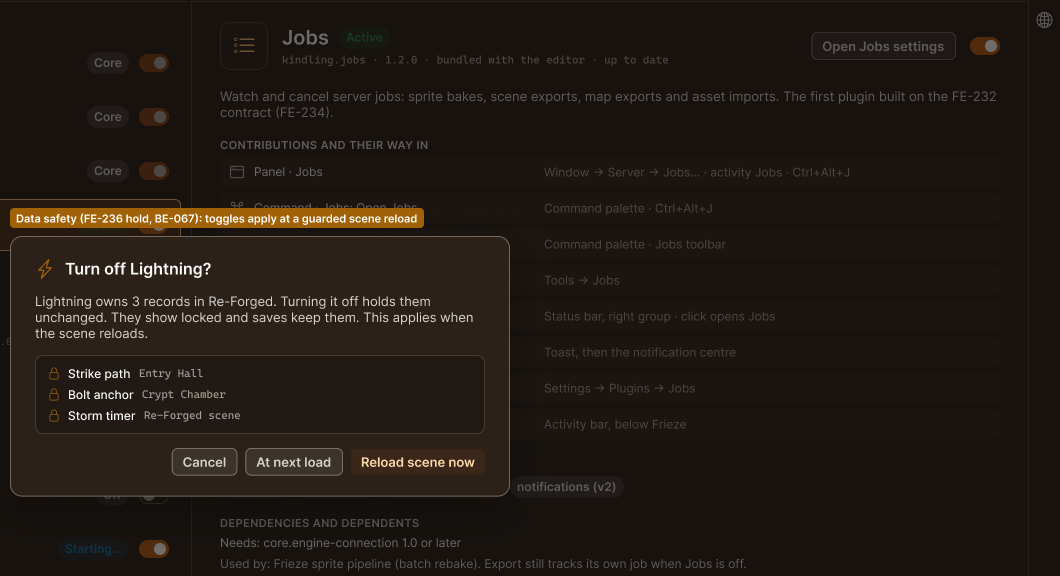
The plugin manager lists what's installed, what each plugin adds and where to find it, what it needs and what needs it. Core plugins are always on.
The interesting part is turning one off. If the Lightning plugin owns three things in the scene, the editor doesn't delete them or pretend they're gone. It holds them, shows them locked and keeps saving them, so turning the plugin back on brings everything back. That's the save that deleted things, designed out from the first sketch.
Round one, approved
Round one is six screens: the shell, scene editing, the plugin manager, settings with a page per plugin, the Jobs panel as the first real plugin, and the project's git tools living inside the editor. Each one is drawn in two themes, Forge and Blue, along with every state it can be in: loading, offline, a plugin failing at start-up, a version conflict while two people edit the same scene, a script with a compile error. I approved them today.
Round two is next: Play mode, 3D dev tools mode, Frieze as a plugin, a first run for brand-new world builders, and previews of the game on a phone and on Steam from inside the editor.
On the calendar
To be honest about time: with a full rewrite in front of it, the first vertical slice now looks more like mid to late 2027 than the end of this year. The roadmap has the details.