Round two: play, previews and Frieze
Round two of the editor designs was approved today. Round one was the frame and the everyday tools. Round two is everything you do in the editor besides building.
Play mode
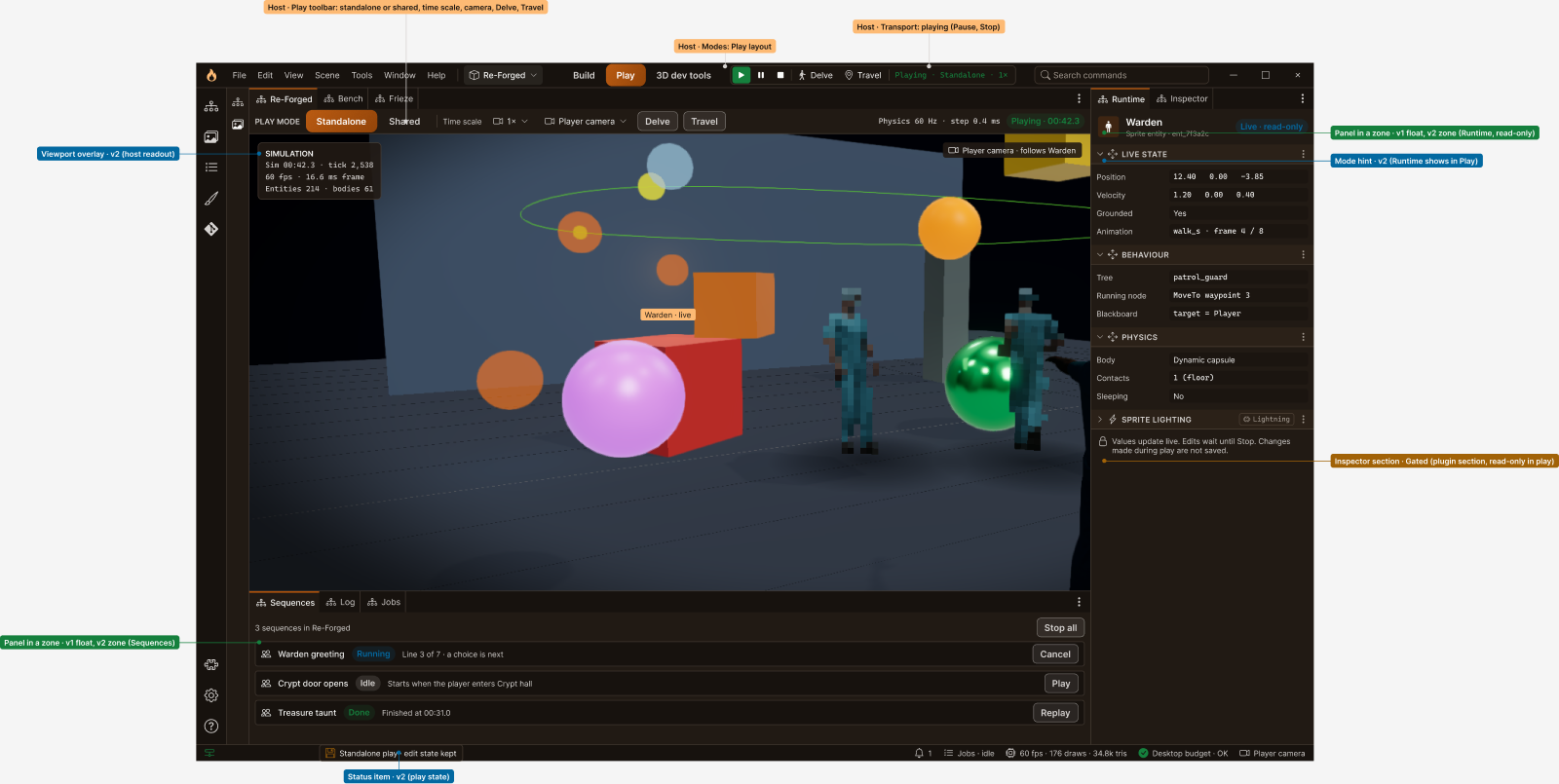
Pressing Play switches to a Play layout instead of just setting the viewport running. The inspector becomes a live readout of the selected character: its position and velocity, which behaviour-tree node it's running and what's on its blackboard. Values update live, but edits wait until Stop, so nothing you poke at while playing quietly ends up saved. Dialogue and scripted sequences get their own panel, with Play, Cancel and Replay.
Frieze as a plugin
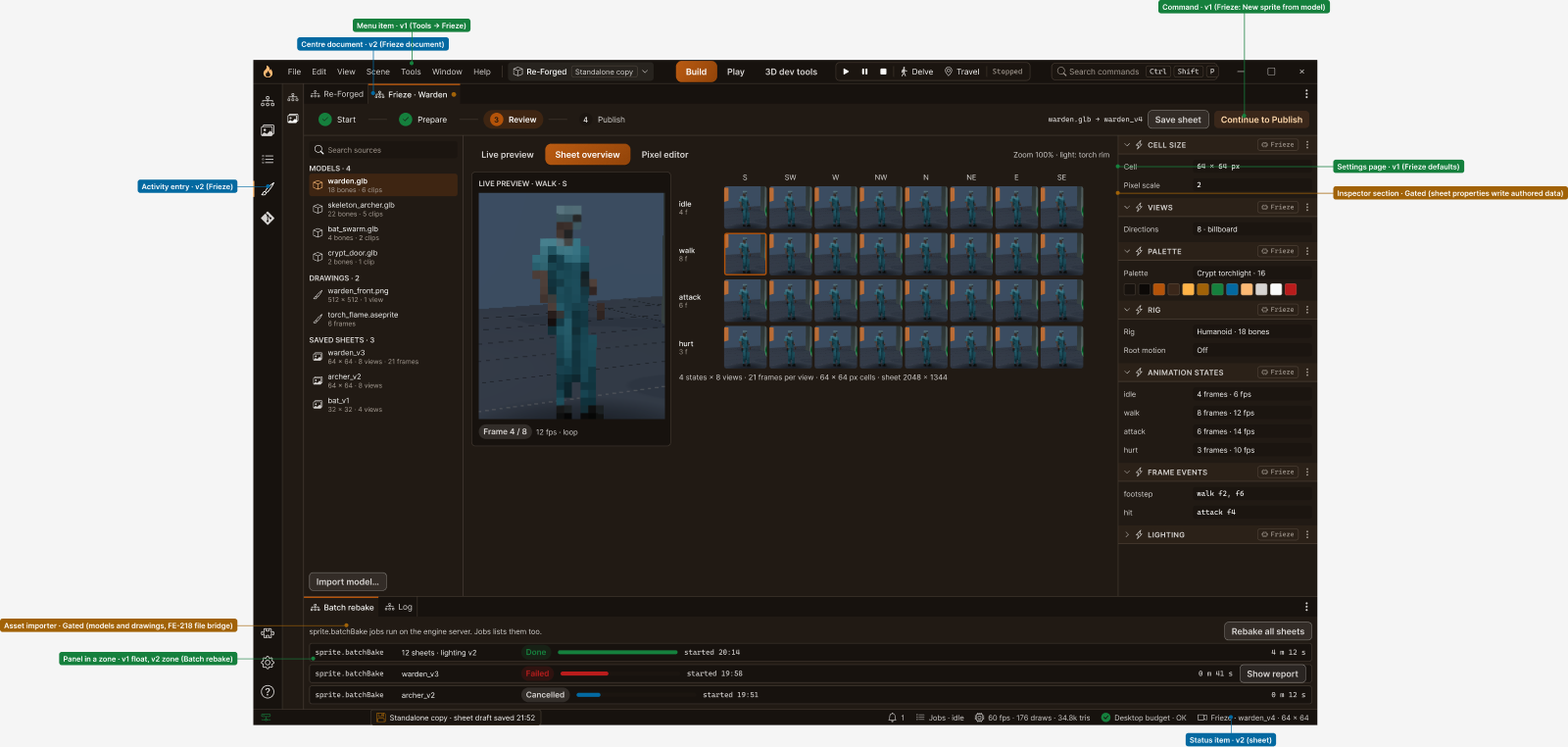
Frieze, the sprite maker, moves out of a floating window and into a document tab of its own. Models and drawings sit on the left, the live preview and the whole sheet in the middle, and the sheet's settings on the right: cell size, eight directions, palette, rig, animation states, and frame events such as which frames of the walk play a footstep. Batch re-bakes run as server jobs in the panel underneath.
Seeing it on a phone
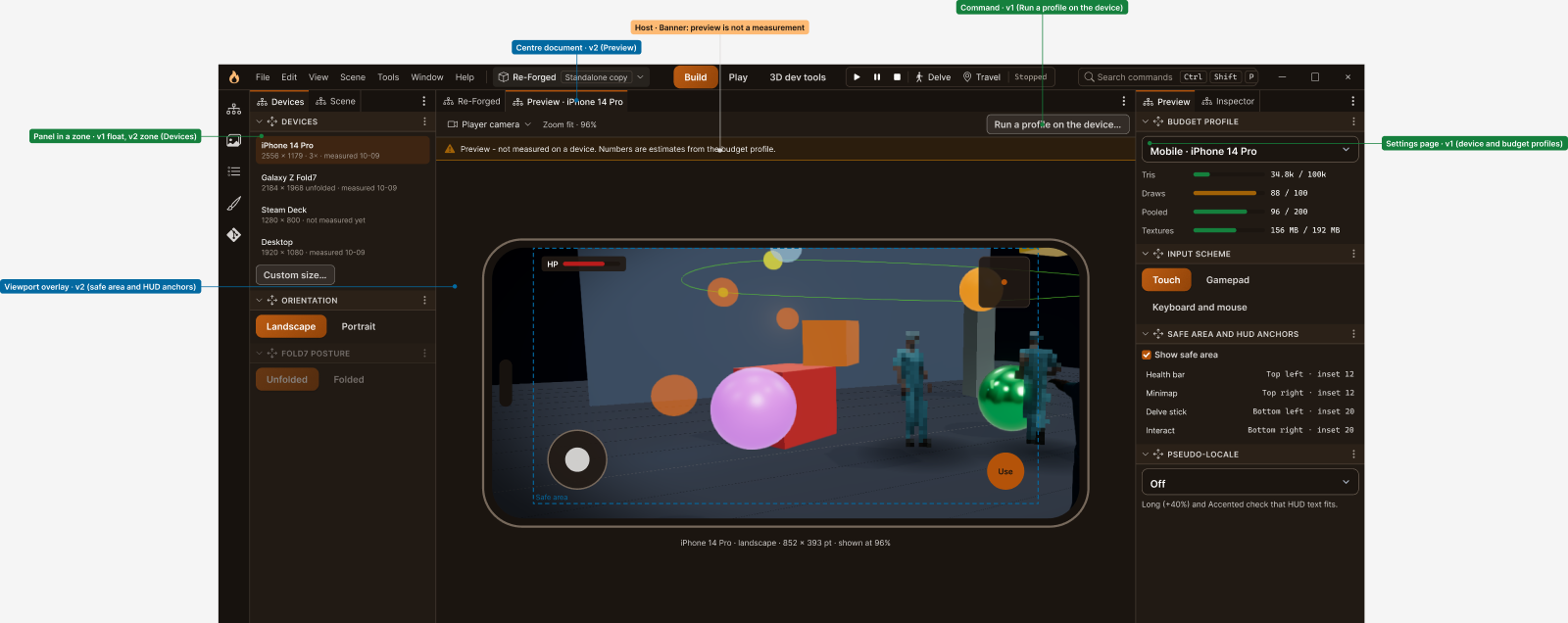
The game ships to phones and Steam, so the editor will preview it on them: an iPhone, a Galaxy Fold, a Steam Deck or a desktop screen, in portrait or landscape, with the safe area drawn in and the touch controls where a thumb would land. There's even a fake language that makes every string 40% longer, to check the HUD text still fits before a real translation finds out the hard way. A banner says plainly that a preview is an estimate, not a measurement, and a real run on the device is one command away.
And the rest
Round two also covers a 3D dev tools mode for performance work, with a benchmark that flies the demo camera and a warning when a scene goes over a phone's budget. And it has a first run for brand-new world builders: a short setup, a starter level, a tour, and a choice between a simpler World builder layout and the full editor. As the screen puts it: your helpers can each pick their own.